Migrating from an on-premise infrastructure to the cloud is a significant undertaking for any organization. It promises greater scalability, cost savings, and enhanced performance, but the process itself can be complex and fraught with challenges. This guide provides a comprehensive, step-by-step approach to ensure your on-premise to cloud migration is a success, helping you navigate the complexities and unlock the full potential of the cloud.
What Is On-Premise to Cloud Migration?
On-premise to cloud migration is the process of moving an organization’s digital assets—including data, applications, and IT resources—from a privately owned, on-site infrastructure to a public or private cloud environment. Unlike a cloud-to-cloud migration, which involves transferring assets between different cloud providers, this process involves a fundamental shift from a capital-intensive, self-managed model to a flexible, service-based one.
Benefits of Migrating to the Cloud
The move to the cloud offers a wide range of strategic advantages that can drive business growth and innovation.
- Cost Efficiency: Transitioning from a capital expenditure (CapEx) model to an operational expenditure (OpEx) model eliminates the need for large upfront investments in hardware. With a pay-as-you-go pricing structure, you only pay for the resources you use, leading to significant cost savings.
- Scalability and Flexibility: The cloud provides unparalleled scalability, allowing you to scale resources up or down on demand. This agility enables your organization to respond quickly to changing business needs without being constrained by physical infrastructure.
- Accessibility and Remote Work: Cloud-based resources can be accessed from anywhere with an internet connection, empowering remote and distributed teams to collaborate effectively and maintain productivity.
- Performance and Reliability: Leading cloud providers offer robust, global infrastructure with built-in redundancy and disaster recovery capabilities, ensuring high availability and consistent performance for your applications.
- Security and Compliance: Cloud providers invest heavily in security, offering advanced, multi-layered protection that often exceeds what most organizations can achieve on their own. They also provide tools and certifications to help you meet various industry and regulatory compliance requirements.
- Innovation and Agility: By offloading infrastructure management, your IT teams can focus on higher-value activities, such as developing new products and driving innovation. The cloud also provides access to cutting-edge technologies like AI, machine learning, and big data analytics.
Types of Cloud Migration: Understanding Your Options
Before you begin your migration, it’s essential to understand the different strategies available. The right approach will depend on your specific goals, budget, and technical requirements.
- Rehosting (Lift-and-Shift): This is the simplest approach, involving moving your applications and data to the cloud with minimal or no changes. It’s a quick way to get to the cloud but may not fully leverage cloud-native capabilities.
- Refactoring (Re-architecting): This strategy involves modifying or rewriting parts of your application to take advantage of cloud-native features. It requires more effort but can lead to significant performance and cost benefits.
- Replatforming (Move and Improve): A middle ground between rehosting and refactoring, this approach involves making minor optimizations to your applications during the migration process to gain some cloud benefits without a full rewrite.
- Repurchasing (Replace with SaaS): This involves replacing your existing on-premise applications with a cloud-based Software-as-a-Service (SaaS) solution. This is often a good choice for common business functions like CRM or HR.
How to Migrate from On-Premise to Cloud: A Step-by-Step Guide
A successful migration requires careful planning and execution. Follow these eight steps to ensure a smooth transition.
Step 1: Assess Your Current Infrastructure
Begin by conducting a thorough assessment of your existing on-premise environment. Inventory all your applications, data, and workloads, and identify their dependencies. This will help you determine which workloads are suitable for the cloud and which may require more complex migration strategies.
Step 2: Define Your Migration Goals and Strategy
Clearly define your business objectives for migrating to the cloud. Are you looking to reduce costs, improve performance, or increase agility? Once your goals are established, choose the migration strategy (rehost, refactor, etc.) that best aligns with your objectives.
Step 3: Select the Right Cloud Provider
Evaluate the major cloud providers, such as Amazon Web Services (AWS), Microsoft Azure, and Google Cloud. Consider factors like cost, available services, compliance certifications, and support options to determine the best fit for your organization.
Step 4: Plan Your Timeline and Budget
Develop a detailed migration plan with a realistic timeline and budget. Account for both the upfront costs of migration and the ongoing operational expenses of your new cloud environment. Be sure to allocate resources for training and potential unforeseen challenges.
Step 5: Prepare Your Data and Applications
Before migrating, take the time to clean and organize your data. Test your applications for compatibility with the cloud environment and make any necessary adjustments. This is also a critical time to implement robust security measures to protect your assets during the transition.
Step 6: Execute the Migration
Start your migration with a pilot project, moving a non-critical workload to the cloud first. This allows you to test your migration process and identify any potential issues before moving business-critical applications. Use migration tools provided by your cloud provider to automate and streamline the process.
Step 7: Test and Validate
Once your applications and data are in the cloud, thoroughly test everything to ensure it’s working as expected. Verify data integrity, test application performance under various load conditions, and confirm that all security and compliance controls are in place.
Step 8: Optimize and Monitor
After a successful migration, your work isn’t done. Continuously monitor your cloud environment to optimize performance and costs. Take advantage of cloud management tools to fine-tune resource allocation and identify opportunities for further improvement.
Common Challenges and How to Overcome Them
Cloud migration projects can encounter several common obstacles. Here’s how to address them:
- Data Security Concerns: Implement a shared responsibility model for security and leverage cloud-native security tools to protect your data.
- Downtime During Migration: Plan your migration carefully to minimize downtime, and use a phased approach to reduce the impact on your business operations.
- Cost Overruns: Develop a detailed budget and use cloud cost management tools to monitor your spending and avoid unexpected expenses.
- Skill Gaps: Invest in training for your IT team to ensure they have the skills needed to manage your new cloud environment effectively.
- Legacy Application Compatibility: For older applications that are not cloud-ready, consider refactoring or replacing them with modern, cloud-native alternatives.
ONES.com: Streamline Your Cloud Migration with Powerful Project Management
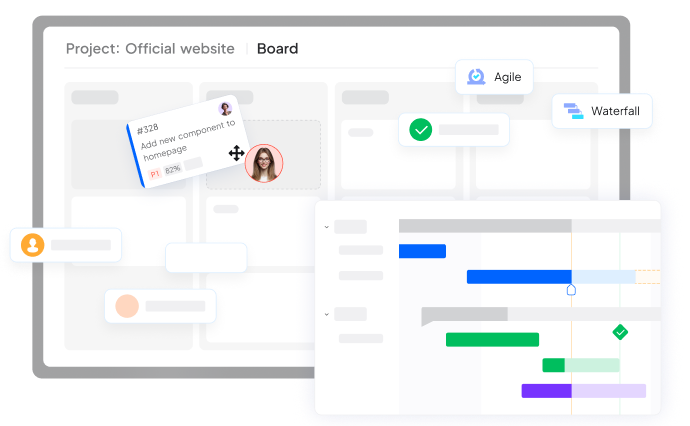
A complex project like a cloud migration requires robust project management to stay on track. ONES.com provides an all-in-one project management platform that can help you plan, execute, and monitor your migration with ease. With features like task tracking, Gantt charts for timeline management, and team collaboration tools, ONES.com ensures that your migration project stays organized and on schedule. Whether you choose a cloud, on-premise, or hybrid deployment, ONES.com offers the flexibility to support your unique project management needs, making it the ideal partner for your cloud migration journey.
Conclusion
Migrating from on-premise to the cloud is a transformative step that can unlock significant benefits for your organization. By following a structured, step-by-step approach and leveraging powerful project management tools like ONES.com, you can navigate the complexities of migration and position your business for future success. Careful planning, thorough testing, and continuous optimization are the keys to a smooth and successful transition to the cloud.
Ready to Improve How Your Team Works?
Contact us today. Optimize the way you work.