Understanding Agile Project Management: Scrum and Kanban
In the world of Agile project management, two popular methodologies stand out: Scrum and Kanban. Both approaches offer unique ways to visualize work and manage projects, with Jira providing robust tools to implement either method. Let’s dive into the differences between Jira Scrum boards and Kanban boards to help you determine which Agile workflow best suits your team’s needs.
Jira Scrum Board: Structured Sprints for Iterative Development
A Jira Scrum board is designed to support the Scrum framework, which emphasizes fixed-length iterations called sprints. Here’s what you need to know:
- Sprint-based: Work is organized into time-boxed sprints, typically lasting 1-4 weeks.
- Defined roles: Scrum teams have specific roles like Product Owner, Scrum Master, and Development Team.
- Ceremonies: Regular events such as Sprint Planning, Daily Stand-ups, Sprint Review, and Sprint Retrospective.
- Backlog management: Items are prioritized in the Product Backlog and moved to Sprint Backlogs.
Jira’s Scrum boards provide features that align perfectly with these principles, offering sprint planning tools, burndown charts, and velocity tracking to help teams measure and improve their performance over time.
Jira Kanban Board: Continuous Flow for Flexible Delivery
Kanban, on the other hand, focuses on visualizing work and limiting work in progress (WIP). Jira Kanban boards reflect these core ideas:
- Continuous flow: Work items move through stages without fixed time boxes.
- WIP limits: Each column can have a maximum number of items to prevent bottlenecks.
- Pull system: Team members pull work when they have capacity, rather than having it pushed to them.
- Flexible delivery: Items can be released as soon as they’re ready, without waiting for a sprint to end.
Jira’s Kanban boards offer customizable columns, WIP limits, and cumulative flow diagrams to help teams optimize their workflow and identify areas for improvement.
Key Differences: Jira Scrum Board vs Kanban Board
To help you choose between a Jira Scrum board and a Kanban board, let’s compare their key features:
- Time constraints: Scrum uses fixed sprints, while Kanban has a continuous flow.
- Roles and responsibilities: Scrum has defined roles; Kanban is more flexible.
- Planning and estimation: Scrum involves detailed sprint planning; Kanban planning is ongoing.
- Metrics: Scrum uses velocity and burndown charts; Kanban focuses on lead time and cycle time.
- Change philosophy: Scrum discourages mid-sprint changes; Kanban allows for more flexibility.
Understanding these differences is crucial in determining which approach aligns best with your team’s working style and project requirements.
Choosing the Right Agile Workflow for Your Team
When deciding between a Jira Scrum board and a Kanban board, consider the following factors:
- Project predictability: If your work is predictable and can be planned in advance, Scrum might be more suitable.
- Team experience: Scrum can provide more structure for teams new to Agile, while Kanban offers flexibility for experienced teams.
- Release frequency: For frequent releases or continuous delivery, Kanban may be more appropriate.
- Stakeholder involvement: Scrum’s regular sprint reviews facilitate consistent stakeholder engagement.
- Work type: Scrum suits feature-driven development, while Kanban excels in support or maintenance work.
Remember, the choice between Jira Scrum board and Kanban board isn’t always an either-or decision. Some teams adopt a hybrid approach, combining elements of both methodologies to create a workflow that best suits their needs.
Implementing Your Chosen Workflow with ONES Project
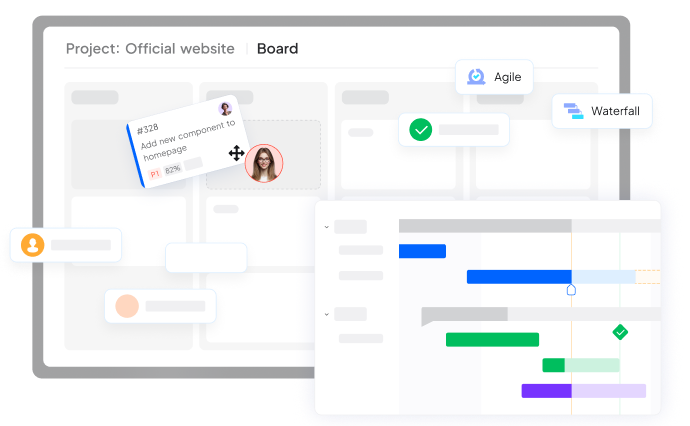
While Jira is a popular tool for implementing Scrum and Kanban boards, it’s worth considering alternatives that may better fit your team’s specific needs. ONES Project, for instance, offers a versatile project management solution that supports both Scrum and Kanban methodologies.
ONES Project provides customizable boards that can be tailored to support either Scrum or Kanban workflows, allowing teams to visualize their work effectively and adapt their processes as needed. Whether you’re looking to implement sprint-based development or a continuous flow system, ONES Project offers the flexibility to accommodate your chosen Agile approach.
Conclusion: Embracing Agility with the Right Tools
The debate between Jira Scrum board vs Kanban board ultimately comes down to understanding your team’s needs and project requirements. Both methodologies have their strengths, and the key is to choose the one that aligns best with your team’s working style and goals.
Whether you opt for the structured approach of Scrum or the flexibility of Kanban, remember that the tool you use should support your chosen methodology effectively. While Jira is a popular choice, exploring alternatives like ONES Project can provide you with additional options to find the perfect fit for your team’s Agile journey.
By carefully considering the unique aspects of Jira Scrum boards and Kanban boards, and leveraging the right project management tools, you can set your team up for success in today’s fast-paced, Agile-driven development landscape.
Ready to Improve How Your Team Works?
Contact us today. Optimize the way you work.