In today’s IT landscape, organizations face a strategic choice: maintaining an on‑premise data center or moving workloads to a cloud provider. The decision goes beyond technology— it affects cost structures, control over sensitive data, and the agility with which teams can respond to new requirements. In this article we explore what an on‑premise data center entails, how it compares to a cloud data center, and the practical factors that determine which model is right for your business.
Comparison of On‑Premise and Cloud Data Centers
| Aspect | On‑premise Data Center | Cloud Data Center |
|---|---|---|
| Ownership & Location | Infrastructure is owned and located on your property or colocation facility, giving you full control over hardware, software and networking. | Infrastructure is owned by a third‑party provider and distributed across their data centers. You access resources over the internet. |
| Upfront Investment | Requires large capital expenditures for servers, storage, power, cooling, physical space and security systems. | Minimal upfront cost; you pay a subscription or pay‑as‑you‑go fee for the resources you consume. |
| Operating Costs | You are responsible for maintenance, upgrades, staffing and energy bills. Long‑term costs may be predictable if resource needs are stable. | Operational expenses are integrated into the service fee. Cost can increase with heavy usage but can be lower overall when demand fluctuates. |
| Scalability & Flexibility | Scaling requires purchasing and deploying additional hardware, which can result in over‑ or under‑provisioned resources. | Resources can be scaled up or down almost instantly. You only pay for what you use and can respond quickly to changing workloads. |
| Customization & Control | High degree of customization. You can tailor hardware and network configurations to exact requirements. | Limited customization; infrastructure and service configurations are standardized by the provider. |
| Maintenance & Responsibility | Your IT staff handles maintenance, security patches, hardware refreshes and backups. You can outsource some tasks but ultimately remain accountable. | The provider takes care of hardware maintenance, updates and some security tasks. Your team still manages configurations and user access. |
| Compliance & Security | You maintain full control of data and can ensure compliance with strict regulatory or data‑sovereignty requirements. | Providers offer compliance certifications, but you rely on their processes. Some niche regulations may not be supported. |
| Typical Use Cases | Highly regulated industries, businesses with existing infrastructure investments, and organizations needing bespoke configurations. | Startups, scale‑ups, businesses with fluctuating workloads and companies prioritizing agility over control. |
What Is an On‑Premise Data Center?
An on‑premise data center is a private facility that houses and manages an organization’s IT infrastructure, including servers, storage, networking and supporting equipment. According to experts, these facilities may reside on company premises or in a colocation building, but they are operated solely for a single organization. Businesses with on‑premise data centers retain complete control over their hardware, software and network configuration.
Key advantages of running your own data center include:
- Full data control: On‑premise environments give you direct control over sensitive data, an important consideration for sectors like healthcare and finance.
- Customization: Because the infrastructure is dedicated to one organization, it can be tailored to unique workloads and security policies.
- Long‑term economy: While the initial investment is high, running your own facility can be cheaper in the long run if your workloads are steady and predictable.
There are, however, several disadvantages. Building and equipping a data center requires significant capital, including facilities, redundant power and cooling systems, and physical security. Scaling the infrastructure necessitates buying more hardware, which can quickly become obsolete or underutilized. Maintenance demands skilled staff and a continuous budget for updates, patches and hardware refreshes.
Understanding Cloud Data Centers
Public cloud providers such as Amazon Web Services (AWS), Microsoft Azure and Google Cloud operate data centers at massive scale and rent resources to customers over the internet. Cloud data centers allow you to deploy servers, storage and networking in minutes without purchasing hardware. The provider manages the underlying infrastructure, while you maintain control of your applications and data.
Cloud platforms offer several benefits:
- Scalability: You can rapidly scale up or down to match demand, making cloud ideal for workloads that experience spikes or unpredictable growth.
- Low barrier to entry: Organizations can get started with minimal upfront cost and no need to build physical facilities.
- Convenience: Cloud providers handle hardware maintenance, updates and a portion of the security burden.
However, moving everything to the cloud isn’t always the right choice. Some workloads require specific hardware or low‑latency connectivity that cloud cannot provide. Compliance with niche regulations may not be supported by public cloud providers. Additionally, in cases where data volumes are high and continuously processed, pay‑as‑you‑go fees can exceed the cost of operating your own facilities.
Key Factors to Consider When Choosing
Your decision between an on‑premise data center and a cloud data center should be based on several factors:
- Compliance requirements: If regulations dictate strict data residency or security controls, a private data center may be necessary.
- Data sensitivity: Organizations dealing with highly confidential information might prefer keeping data in‑house for maximum control and auditing.
- Resource needs: Stable, predictable workloads can justify the investment in hardware; fluctuating workloads benefit from cloud scalability.
- Customization: Businesses requiring bespoke configurations or specialized hardware may find on‑premise more suitable.
- Financial considerations: Upfront budget constraints can favor cloud adoption, while long‑term cost efficiency might tilt towards owning infrastructure.
Also evaluate organizational size and IT capability. Small and medium enterprises without large IT teams often prefer cloud due to its simplicity and scalability. Large enterprises with significant IT expertise and strict compliance needs may manage their own facilities more effectively.
Decision Framework
Once you understand the technical differences and business factors, apply a decision framework:
- Assess your workloads: List applications and determine whether they have stable or variable resource needs.
- Evaluate compliance: Identify regulatory requirements and data residency laws.
- Consider growth plans: For rapid growth or seasonal peaks, cloud may be more efficient; for steady workloads, on‑premise can be cost‑effective.
- Analyze risk tolerance: Cloud implies reliance on a provider for uptime and security; on‑premise requires internal expertise and risk management.
- Compute total cost of ownership: Include hardware, facilities, staffing, energy, and license costs for on‑premise; compare with cloud subscription fees over time.
Hybrid models blend both approaches. Many organizations keep sensitive workloads in‑house while using cloud resources for development environments, backups or bursting capacity. The right mix depends on your unique business requirements.
How ONES.com Bridges On‑Premise and Cloud Workflows
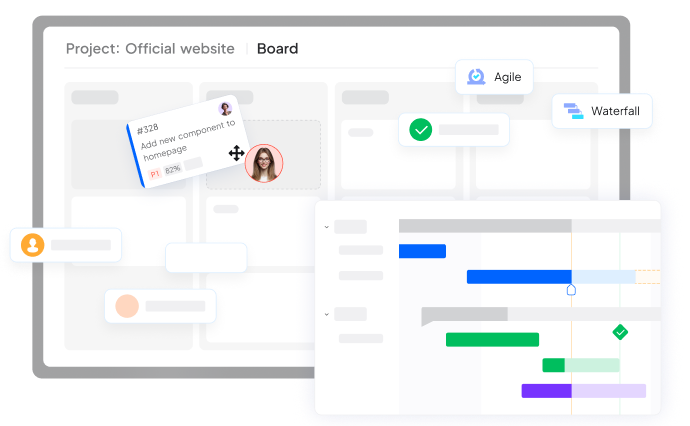
Regardless of where your infrastructure is hosted, teams need tools that unify planning, collaboration and quality assurance. ONES.com provides this unified platform. ONES Project combines project planning, issue tracking and reporting in a single interface, allowing product managers, developers and testers to stay aligned without switching between tools. Built‑in dashboards and burndown charts surface risks early so you can adjust schedules proactively.
ONES Wiki acts as a centralized knowledge base where teams can collaboratively create and edit documentation, link pages to tasks or requirements, and control access through role‑based permissions. This ensures that critical information remains accessible whether your servers are on‑premise or in the cloud.
ONES TestCase manages test cases, plans and reports in a unified environment. By linking tests to the user stories or features they validate, you gain traceability from requirements through execution. This streamlines audit processes and helps maintain high quality standards across deployment models. Together, these modules mean your teams can collaborate on the same data regardless of the infrastructure beneath them, reducing context switching and keeping focus on delivering value.
Conclusion
Choosing between an on‑premise data center and a cloud data center is a strategic decision with long‑term implications. On‑premise facilities offer complete control, customization and potential long‑term cost benefits but require heavy upfront investment and ongoing maintenance. Cloud data centers provide scalability, rapid deployment and lower entry costs but may limit customization and pose compliance challenges. Consider your regulatory requirements, workload characteristics, budget and growth plans when evaluating options. Hybrid approaches that combine in‑house infrastructure with cloud services often offer the best balance of control and flexibility. Whatever you choose, leveraging a unified platform like ONES.com helps your team collaborate and deliver value effectively.
Ready to Improve How Your Team Works?
Contact us today. Optimize the way you work.