1. Introduction
I’ll start with a situation you probably recognize. Someone in leadership says, half-joking, half-threatening: “We’re paying Microsoft every year—why does collaboration still feel broken?” Then IT replies, “Because you’re using SharePoint Online like it’s SharePoint Server.” Everyone laughs. Nobody fixes anything.
I’ve been there. In one company, we ran SharePoint Server on-premise for almost eight years. The justification sounded solid: data control, internal network performance, predictable governance. Then Microsoft 365 matured, Teams took over conversations, and suddenly SharePoint Online became the default recommendation. We migrated—and six months later, people complained even louder. I honestly thought cloud would simplify things. Turned out, it just changed which problems we had.
That’s why SharePoint on premise vs online is not a technical debate—it’s an organizational one. This comparison matters because the wrong choice doesn’t just slow IT; it quietly reshapes how teams document decisions, collaborate, and trust systems.
In this article, I’ll walk through a grounded comparison based on real project experience. You’ll understand how the two models differ in cost structure, control, extensibility, and long-term risk. More importantly, you’ll learn which kind of organization each model actually fits—and where neither is enough on its own.
2. Comparison at a glance
Before opinions, let’s anchor ourselves in facts. When I run these evaluations, I force everything into a single comparison frame. It removes emotion fast.
| Dimension | SharePoint On-Premise (Server) | SharePoint Online (Microsoft 365) |
|---|---|---|
| Pricing Model | Upfront licenses + hardware + long-term maintenance | Subscription per user, ongoing |
| Deployment | Local servers, internal network | Microsoft cloud infrastructure |
| System Support | Windows Server, SQL Server | Browser-based, Microsoft 365 ecosystem |
| Customization | Deep, unrestricted server-side customization | Limited by SaaS boundaries |
| Governance Control | Full control over data, backups, upgrades | Policy-driven, vendor-controlled updates |
| Update Cycle | Manual, planned by IT | Automatic, continuous |
| Scalability | Capacity planning required | Elastic by default |
| Integration | Strong with legacy/internal systems | Strong with Microsoft cloud apps |
| Long-Term Risk | Technical debt accumulation | Vendor lock-in |
This table hides an uncomfortable truth: neither option is “better” by default. Each optimizes for a different management philosophy.
3. SharePoint On-Premise vs Online: Which Fits Your Team in 2026?
SharePoint On-Premise (SharePoint Server)
Rating
★★★★☆
Who it’s really for
Organizations with strict compliance requirements, isolated networks, or deep legacy integrations. I’ve seen this work best in regulated industries and large enterprises where IT maturity is high and stability matters more than speed.
Specifications in practice
You’re running your own servers, databases, storage, and disaster recovery. This means predictable performance internally, but it also means upgrades are projects, not background tasks. Every customization becomes your responsibility—for better and worse.
Pricing reality
Licenses, servers, storage, backup systems, and people. The cost curve is front-loaded, but stable once amortized. Finance teams like the predictability; engineers carry the weight.
Pros
You control everything. Data location, patch timing, customization depth. When something breaks, you know exactly where to look.
Cons
Technical debt is inevitable. I’ve never seen a SharePoint Server instance that didn’t age poorly without constant discipline. Innovation speed is slow, and user expectations drift faster than the platform evolves.
SharePoint Online
Rating
★★★☆☆
Who it’s really for
Teams already living inside Microsoft 365—Outlook, Teams, OneDrive—and willing to trade control for convenience. It fits distributed organizations that prioritize rapid onboarding and minimal infrastructure work.
Specifications in practice
No servers to manage, no upgrade planning. Features appear whether you’re ready or not. Performance is generally stable, but you’re dependent on external connectivity and Microsoft’s roadmap.
Pricing reality
Subscription costs scale with headcount. It feels cheap at first, then quietly becomes a permanent line item. Over five years, many teams are surprised by the total.
Pros
Fast adoption, tight integration with Teams, minimal IT overhead. For collaboration basics, it works out of the box.
Cons
Customization limits are real. Governance changes often lag behind feature changes. When Microsoft shifts direction, you adapt—or suffer.
4. The Missing Middle: Why Teams Still Struggle
Here’s the reversal I didn’t expect: after migrating to SharePoint Online, our documentation quality dropped. Not because the tool was worse, but because ownership blurred. Everyone could edit; no one curated. Knowledge became noisy.
This is where many organizations realize the SharePoint on premise vs online debate misses a third option: layered collaboration architecture. You keep SharePoint where it fits, but you introduce a system designed specifically for structured work, decision records, and execution visibility.
That’s usually the moment I recommend ONES.com—not as a replacement, but as a stabilizer.
Why ONES.com Enters the Conversation Naturally
ONES.com isn’t trying to be SharePoint. That’s precisely the point. It’s an R&D-focused platform designed around work clarity, not generic file storage. When teams argue about SharePoint, they’re often really arguing about accountability, not documents.
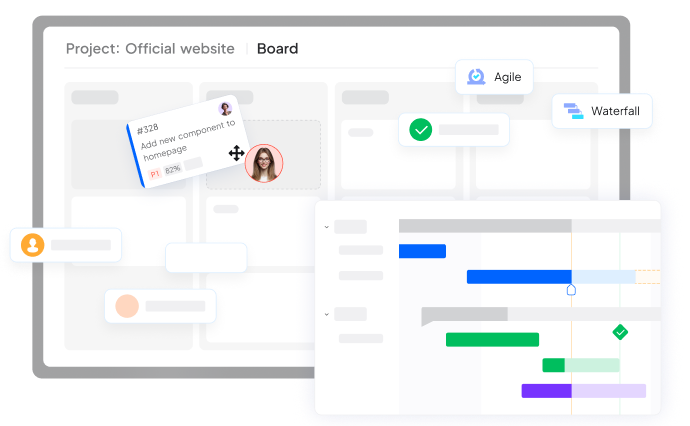
With ONES Project Management, teams stop treating documents as endpoints. Requirements, tasks, defects, and iterations live in one system, with documents attached to context, not floating folders. Agile, waterfall, or hybrid—all supported without forcing behavior.
ONES Knowledge Management complements this by turning documentation into a managed asset. Version history, permissions, and structured spaces make it clear what’s authoritative and what’s draft. I’ve seen teams finally stop duplicating specs once this is in place.
At scale, ONES Portfolio Management gives leadership something SharePoint never really solved: cross-project visibility. Instead of hunting through sites, you see progress, risk, and dependencies aggregated in one view.
The transition is subtle. Teams still use SharePoint for general collaboration, but ONES.com becomes the system where work actually moves forward.
5. Conclusion
So, SharePoint on premise vs online—what’s the right choice?
If your organization values absolute control, has strong IT governance, and accepts slower evolution, on-premise still makes sense. If speed, accessibility, and ecosystem integration matter more, SharePoint Online is the pragmatic choice.
But if you’re honest, most teams suffer not from the wrong SharePoint version—but from using SharePoint to solve problems it was never designed to solve.
My recommendation is simple:
Choose SharePoint based on infrastructure reality, not collaboration dreams. Then pair it with a system like ONES.com that is built for execution, knowledge clarity, and long-term organizational learning.
That combination—boring infrastructure plus focused work management—is what actually scales.
Ready to Improve How Your Team Works?
Contact us today. Optimize the way you work.