Understanding the Notion Gallery View and Image Display Issues
Notion’s Gallery View is a powerful feature that allows users to visualize and organize their content in a visually appealing grid format. However, many users encounter a frustrating problem: their Notion gallery view not showing images as expected. This issue can significantly impact productivity and the overall user experience. In this comprehensive guide, we’ll explore the common reasons behind this problem and provide practical solutions to get your Gallery View displaying images correctly.
Common Reasons for Notion Gallery View Image Display Problems
Before diving into troubleshooting steps, it’s essential to understand the potential causes of image display issues in Notion’s Gallery View. Here are some common reasons:
- Incorrect file format or unsupported image types
- Issues with image properties or metadata
- Network connectivity problems
- Browser cache and cookie conflicts
- Outdated Notion app or browser version
- Permissions and access rights complications
By identifying the root cause, you can more effectively troubleshoot and resolve the Notion gallery view not showing image problem.
Troubleshooting Steps to Fix Notion Gallery View Image Display Issues
Let’s explore a step-by-step approach to resolving image display problems in your Notion Gallery View:
1. Verify Image File Formats and Types
Notion supports various image formats, including JPG, PNG, GIF, and SVG. Ensure that your images are in a compatible format. If you’re using unsupported file types, consider converting them to a supported format.
2. Check Image Properties and Metadata
Confirm that the image properties are correctly set in your Notion database. Make sure the ‘Cover’ property is assigned to the correct field and that images are properly linked or uploaded.
3. Test Network Connectivity
Poor internet connection can prevent images from loading. Try accessing your Notion workspace from a different network or use a speed test tool to check your connection quality.
4. Clear Browser Cache and Cookies
Accumulated cache and cookies can sometimes interfere with proper image display. Clear your browser’s cache and cookies, then restart your browser and try accessing the Gallery View again.
5. Update Notion App and Browser
Ensure you’re using the latest version of the Notion app or browser. Outdated software can lead to compatibility issues and bugs that affect image display.
6. Review Permissions and Access Rights
If you’re working in a shared workspace, verify that you have the necessary permissions to view and access the images in the Gallery View.
Advanced Solutions for Persistent Image Display Issues
If the basic troubleshooting steps don’t resolve the Notion gallery view not showing image problem, consider these advanced solutions:
1. Rebuild the Gallery View
Sometimes, recreating the Gallery View from scratch can resolve persistent issues. Export your data, delete the problematic view, and rebuild it with the correct properties and settings.
2. Use External Image Hosting
If Notion’s internal image hosting is causing problems, consider using an external image hosting service. Link to images stored on platforms like Imgur or Cloudinary to potentially bypass Notion-specific image display issues.
3. Implement Alternative View Types
While troubleshooting, you might want to temporarily switch to alternative view types like List or Board view. This can help you determine if the issue is specific to the Gallery View or affects your entire database.
Leveraging Project Management Tools for Enhanced Visualization
While Notion is a versatile tool, persistent image display issues can hinder productivity. For teams heavily reliant on visual project management, it might be worth exploring alternative solutions that offer robust image handling and visualization features. One such tool is ONES Project, which provides powerful project management capabilities with a strong focus on visual representation.
ONES Project offers a range of features that can complement or potentially replace Notion’s Gallery View functionality:
- Advanced image handling and display options
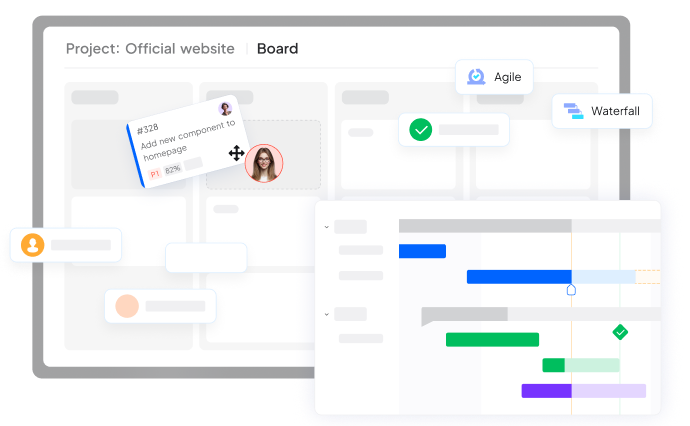
- Customizable project views, including Kanban and Gantt charts
- Seamless integration with other project management tools
- Robust permission settings for team collaboration
While ONES Project can be a valuable alternative, it’s important to note that it’s free during the trial period. Evaluate its features and compatibility with your workflow before making a decision.
Preventing Future Notion Gallery View Image Display Issues
To minimize the chances of encountering image display problems in the future, consider implementing these best practices:
- Regularly update your Notion app and browser
- Use consistent image formats and sizes across your database
- Implement a naming convention for your image files
- Periodically audit and clean up your Notion workspace
- Educate team members on proper image uploading and linking procedures
By following these preventive measures, you can maintain a smooth and visually appealing Notion Gallery View experience.
Conclusion: Mastering Notion’s Gallery View for Seamless Visual Organization
Resolving the Notion gallery view not showing image issue requires a systematic approach and understanding of potential causes. By following the troubleshooting steps outlined in this guide, you can effectively diagnose and fix image display problems, ensuring that your Gallery View functions as intended. Remember that while Notion is a powerful tool, alternatives like ONES Project can offer additional features for teams requiring advanced visual project management capabilities. Ultimately, the key to a smooth Notion experience lies in regular maintenance, proper setup, and staying informed about best practices for image handling and display.
Ready to Improve How Your Team Works?
Contact us today. Optimize the way you work.